
What is a Digital Business Card?

Digital business cards are used by both individuals and businesses to quickly exchange contact information.
The Ondigicard is an excellent way to grow your network. Reason being is that it’s more engaging, cost-effective, and eco-friendly than traditional physical business cards.
View Sample Profile
Get one for yourself
The Ondigicard is an excellent way to grow your network. Reason being is that it’s more engaging, cost-effective, and eco-friendly than traditional physical business cards.
View Sample Profile
Get one for yourself
How Do I Share My Digital Business Card?
There are multiple ways to share your Ondigicard digital business card. The quickest way to share your digital business card in person is with your QR code.
With Ondigicard, you are also able to send your digital business card to someone via an SMS text message, email, WhatsApp or social media.
View Sample Profile Get one for yourself
With Ondigicard, you are also able to send your digital business card to someone via an SMS text message, email, WhatsApp or social media.
View Sample Profile Get one for yourself

How to Scan a QR Code
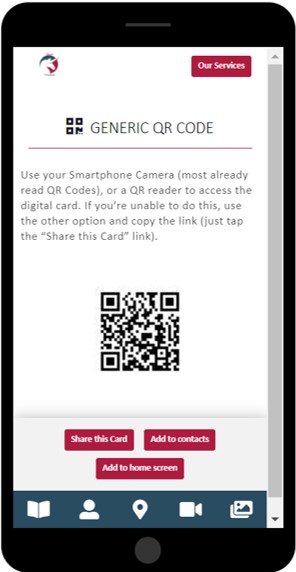
Use your Smartphone Camera (most already read QR Codes), or a QR reader to access the digital card. If you’re unable to do this, use the other option and copy the link (just tap the “Share this Card” link).
You can easily share this Digital Card on any of the information systems/social media platforms if you have access to them on your device. Click on the related item to share.
View Sample Profile
Get one for yourself
You can easily share this Digital Card on any of the information systems/social media platforms if you have access to them on your device. Click on the related item to share.
View Sample Profile
Get one for yourself